Product photography
What is a product shot? The main types, the marketplace rules and one phone photo made into three
In short
A product shot is a photograph made to sell a product: clear enough for a buyer to judge its shape, colour, size and label without holding it. The plainest kind, the packshot, shows the product alone on white, which is what Amazon requires for a main image. The other kinds put it in a scene, in a hand or up close.
What is a product shot?
A product shot is any photo whose job is to sell the product in it. Product photography is the work; a product shot is one picture that comes out of it. The job decides what the picture must show: the answers a buyer would get by picking the product up, such as its front, its size and what the label says.
The trade also says packshot. Cambridge Dictionary defines it as "a photograph or short piece of film showing a product and its package in a way that can be used to advertise the product". The word comes from advertising: Wikipedia notes that packshots "often dominate television commercials, taking from two to five seconds of a thirty-second commercial". In an online shop, packshot usually means the plain picture of the product alone on white, the one a marketplace shows first.
What are the main types of product shots?
The main types are the packshot, the angle, detail, scale, group and packaging shots, and the scene, lifestyle and hero shots. The first six show the product as it is; the last three show where it belongs.
| Type | What it shows | Where it is used |
|---|---|---|
| Packshot | The whole product alone, front-on, on white | The main image on a marketplace, catalogues, price comparison sites |
| Angle shot | The back, the sides, the top or a three-quarter view | The gallery after the main image |
| Detail shot | A close-up of texture, stitching, a label or a port | The gallery, for buyers who judge quality |
| Scale shot | The product in a hand or next to an everyday object | The gallery, so the size surprises nobody |
| Group shot | Every item in a set, or every colour | Bundles and variants |
| Packaging shot | The box, tin or label as the buyer receives it | Gifts, food, cosmetics |
| Scene shot | The product on a surface in a room | Product pages, social posts |
| Lifestyle shot | Someone holding or using the product | Ads, social posts, product pages |
| Hero shot | One styled picture built around a single idea | Home page banners, campaigns |
A marketplace listing leads with the packshot and follows with angle, detail and scale shots. A shop's own product pages and its ads lean on scene and lifestyle shots.
One phone photo, three product shots
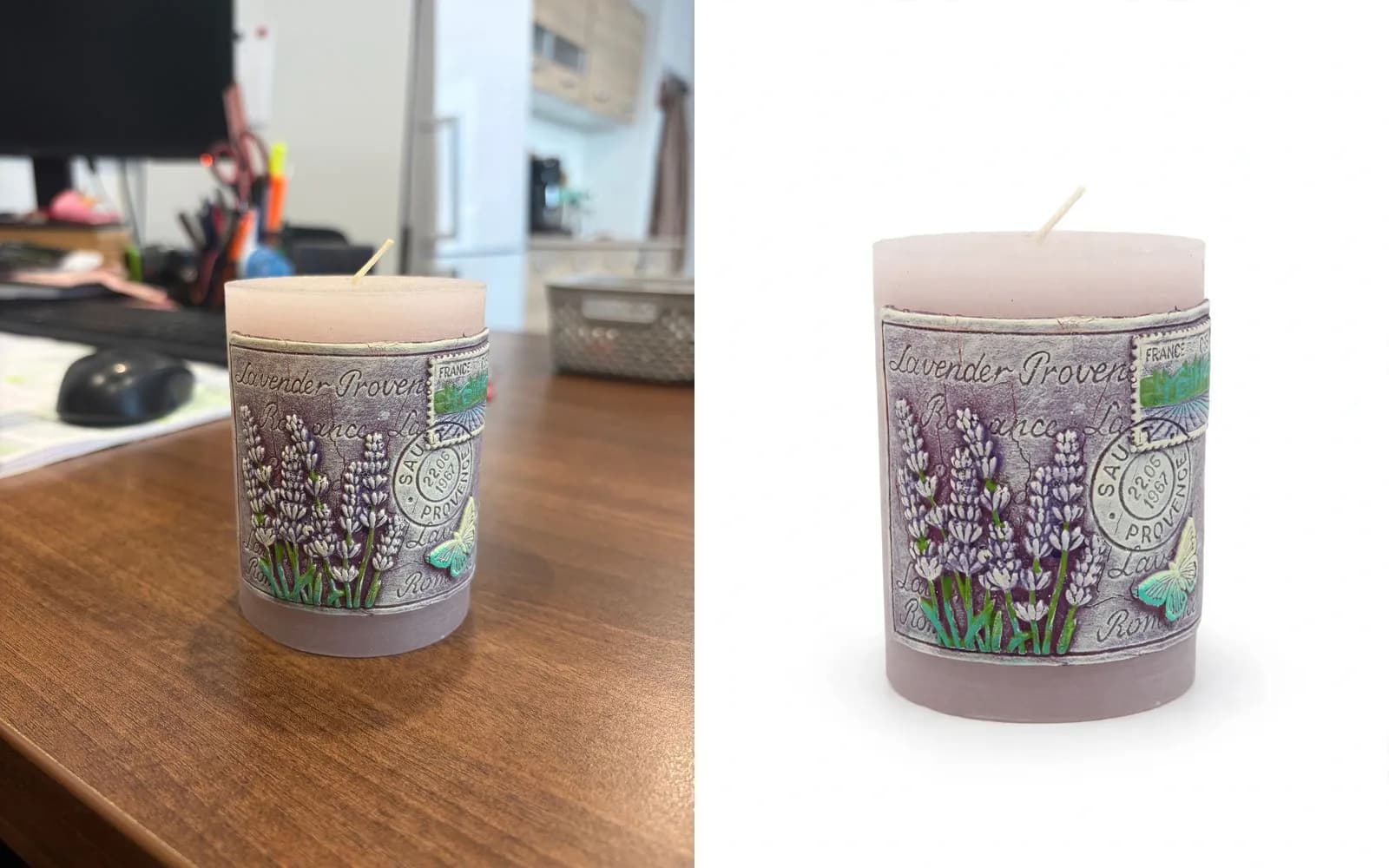
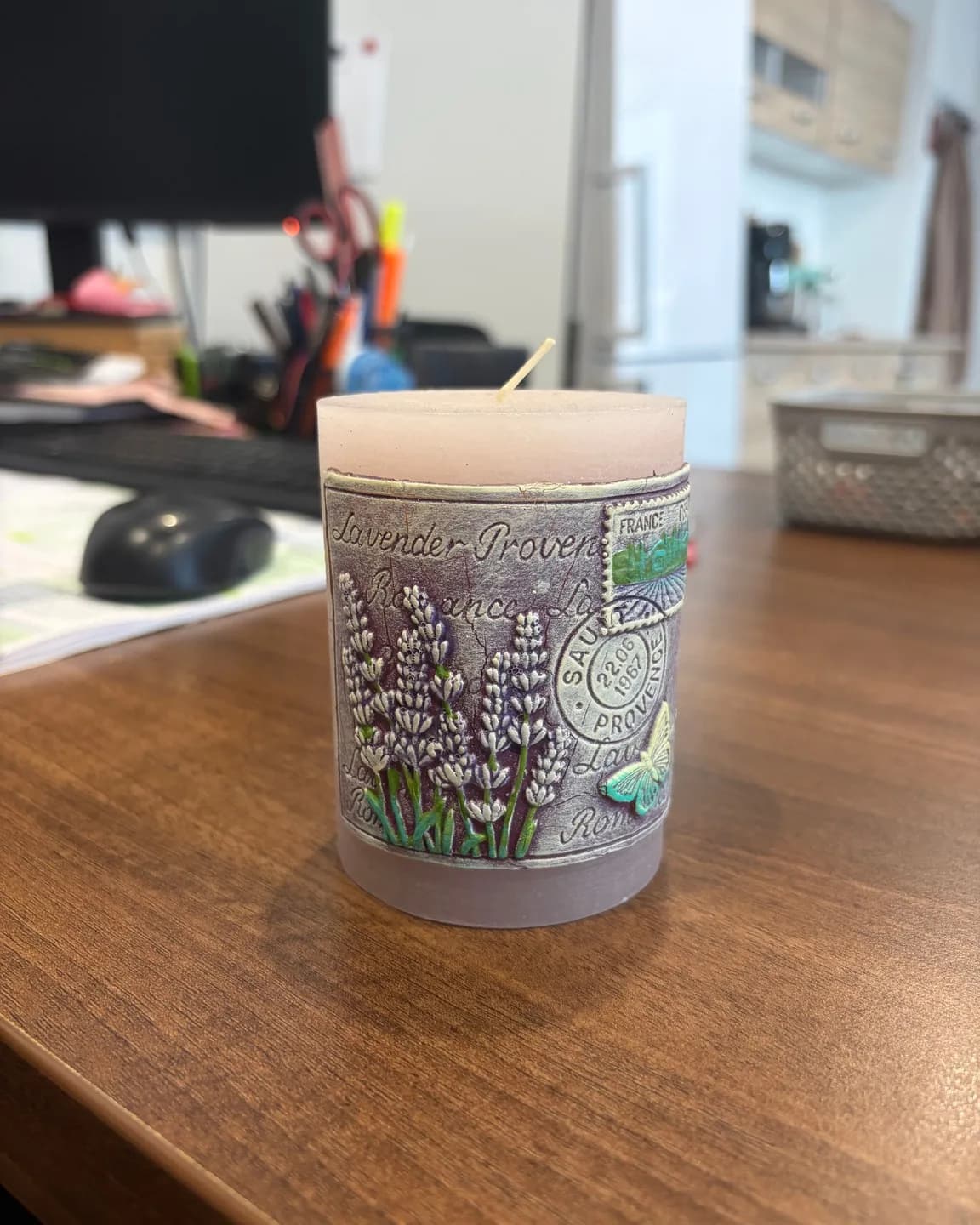
One product can be taken through three of those types from a single phone photo. On 1 October 2026 we photographed a lilac pillar candle on an office desk with a phone: no studio, no lamp, clutter behind it. From that one photo ProduktShot made a packshot on white, a bathroom scene and a lifestyle shot with a hand, one run each, with nothing retouched. All three come from one model, ProduktShot Lite.
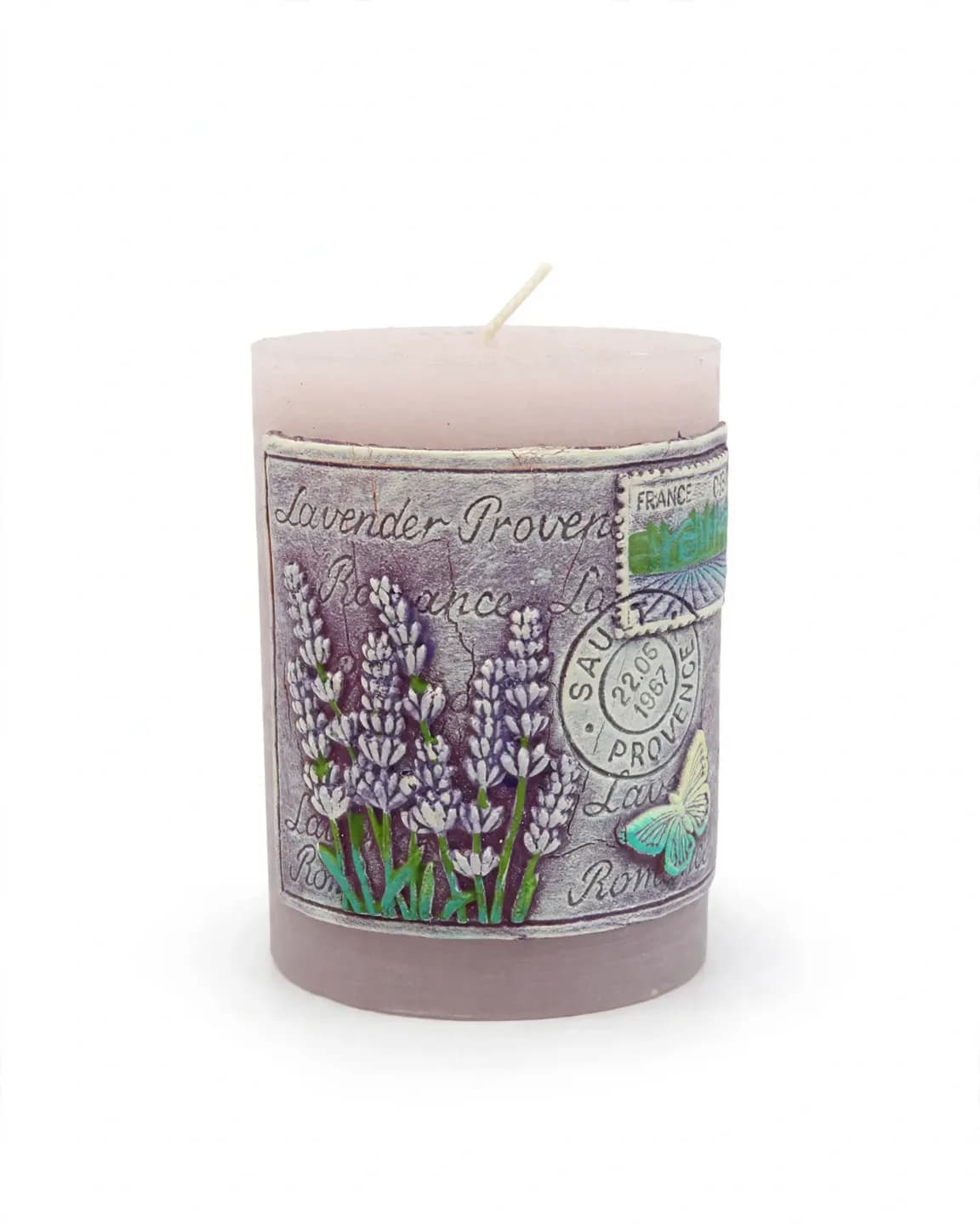
The packshot came out pure white, RGB 255, the white Amazon asks for. The candle fills far less of the picture than the 85% Amazon asks for, so it needs cropping before it goes up as a main image. At full size, two digits of the postmark date on the band had changed.
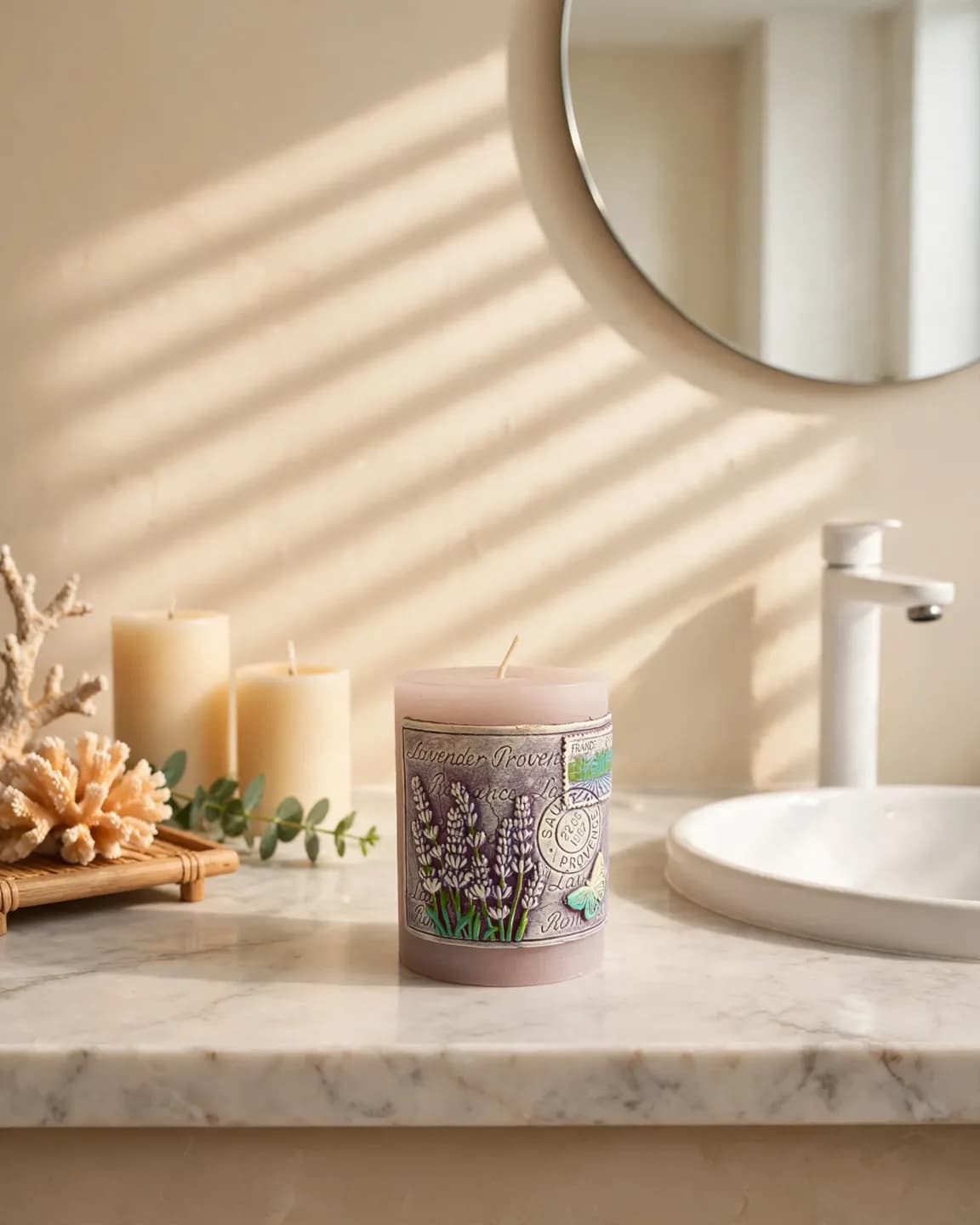
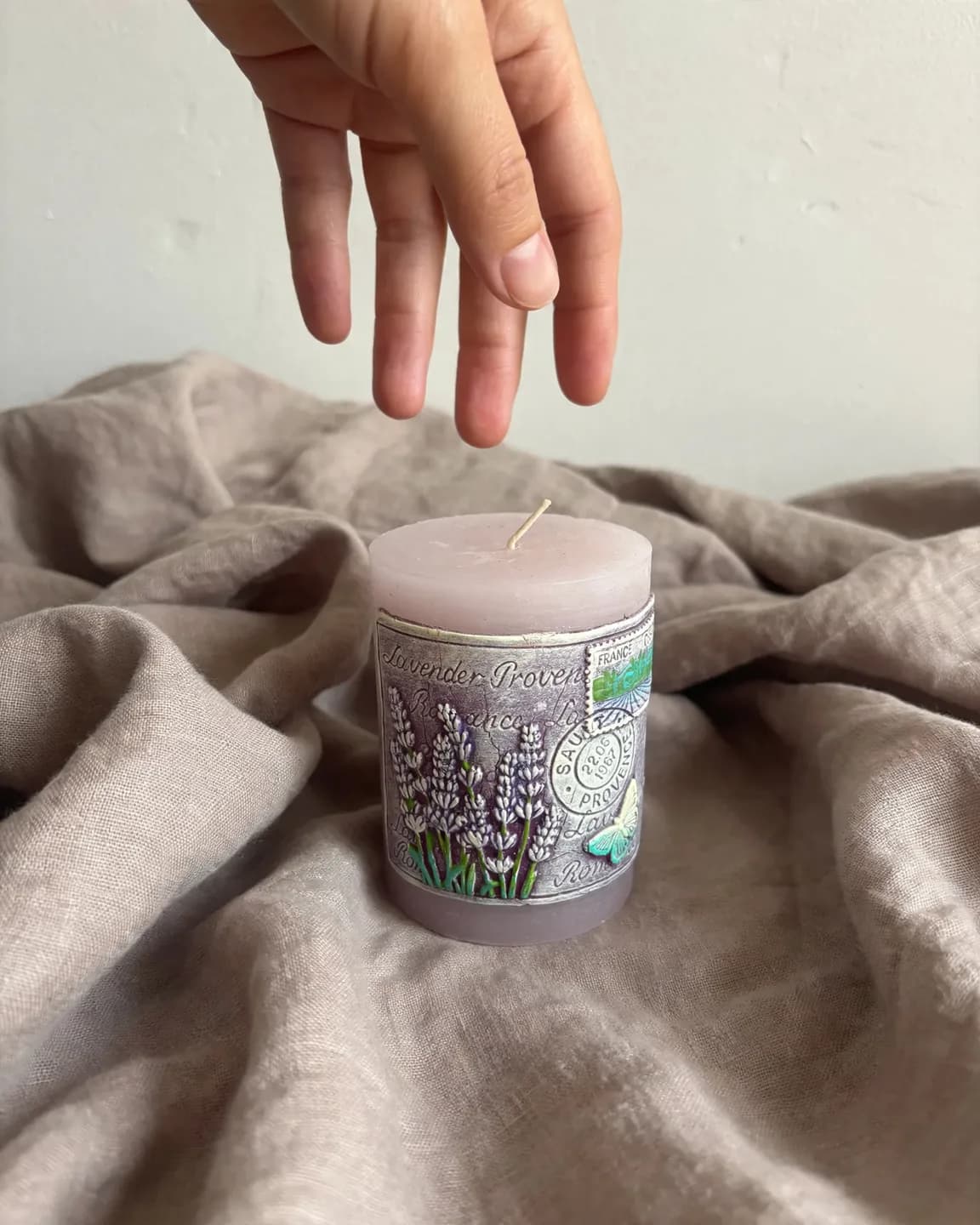
We ran the same photo through the same three scenes on all five models the app offers: 15 pictures. In 5 of the 15 the postmark date on the band changed. Only one of the five white backgrounds came out pure white, and one kept a faded trace of the original desk. The AI model comparison shows every picture side by side.
Packshot, product shot or hero shot: what is the difference?
Product shot is the umbrella term; the other names each describe one kind of it.
| Term | What it means | Typical use |
|---|---|---|
| Product shot | Any photo made to sell the product in it | Every product image |
| Packshot | The product alone, often with its packaging, on a plain background | The main image, catalogues, the end of a TV ad |
| Hero shot | The one styled picture that leads a page or a campaign | Home page banners, launch ads |
| Lifestyle shot | The product in a real setting, often with a person | Ads, social posts, product pages |
| Flat lay | Items laid on a surface and shot from straight above | Clothing, sets, social posts |
What does a marketplace ask of the main product shot?
Amazon, TikTok Shop and Allegro require pure white behind the main image; Google Shopping and eBay recommend white or light; Etsy and Shopify state no background rule. The table gives each one's main-image rules as its own help pages state them, checked on 23 September 2026.
| Marketplace | Background | Smallest size | Recommended size | Product fill |
|---|---|---|---|---|
| Amazon | Pure white, required | 500 px on the shortest side | 1,000 px or more on the longest side, for zoom | At least 85% |
| Google Shopping | White recommended | 500 × 500 px, enforced from 31 January 2027 | 1,500 px on each side | 75% to 90% recommended |
| eBay | White or light recommended | 500 px on each side | 1,600 px on each side | 80% to 90% recommended |
| TikTok Shop | Pure white, required | 800 × 800 px in the UK, 600 × 600 px in the US | Square (1:1) | Not stated |
| Allegro | Pure white, required (some categories are excepted) | 500 px on the longest side | Not stated | Not stated |
| Etsy | Not stated | 635 px on each side | 2,000 px on each side | Not stated |
| Shopify | Not stated | Not stated | 2,048 × 2,048 px | Not stated |
Amazon also bans text, logos, borders, props and extra items from the main image. Amazon's image requirements give the full list and the category exceptions.
Which product shots does a listing need, and in what order?
Lead with the packshot, then answer the questions a buyer would settle in a shop, one picture each: what the back and sides look like, what the detail is like up close, how big it is and how it looks in use.
- Packshot on white: the main image.
- Angle shots: the back, the sides, a three-quarter view.
- Detail shot: the texture, the label, the part that justifies the price.
- Scale shot: in a hand or next to an everyday object.
- Scene or lifestyle shot: the product where the buyer will use it.
How many pictures a listing takes differs: Etsy allows up to 20, eBay up to 24, Google Shopping up to 11 and TikTok Shop up to 9. How many product photos a listing needs covers the rest.
How do you get product shots without a studio?
Take them yourself with a phone, hire a photographer, or make them from one phone photo with AI. Many shops mix the three.
- Take them yourself. A window, two sheets of white paper and a phone are enough for a packshot, or for a source photo to build the others from. How to photograph a product with your phone walks through it.
- Hire a photographer. Shopify's guide to product photography pricing gives $50 to $350 per image or $500 to $3,000 a day, before models, styling and rush fees. What product photography costs breaks the price down.
- Make them from one photo with AI. Upload a photo of the real product and pick the scenes. In ProduktShot an image costs from 2 credits, a new account starts with 7 credits, and plans start at €19 a month. Pictures made before the first payment carry a watermark.
How do you check an AI product shot before you publish it?
Open it at full size and compare it with the real product: the words and numbers on the label, the colour, the white, any trace of the old background and the shape. Each check below comes from a slip in our own test.
- Every word on the label. Read it letter by letter. One model turned a looped "e" into a plain one.
- Every number. Dates, sizes, volumes and prices change most often. The postmark date on our candle changed in 5 of 15 pictures.
- The colour. Hold the real product next to the screen. One model turned our lilac wax lavender-grey in one scene.
- The white. For a main image, measure a corner with an eyedropper tool: it should read 255, 255, 255. One of our five white backgrounds did.
- Traces of the old background. One model left a faded trace of the desk in its white picture.
- Shape and small parts. Count what matters: a wick, a cap, a strap, a button.
Google Merchant Center asks that images made with generative AI keep the metadata that says so, such as the IPTC DigitalSourceType tag. ProduktShot writes that tag into every photo and poster it generates, so upload the file as it comes.
Try it on your own product
Sign up and get 7 free credits, no card needed. The price of every job is on its button.
Questions
The common ones are the packshot on white, angle shots, detail shots, scale shots, group shots, packaging shots, scene shots, lifestyle shots and the hero shot. A listing leads with the packshot; ads and social posts lean on scene and lifestyle shots.
A packshot is a picture of a product, often with its packaging, made to advertise it. In online shops it usually means the plain shot of the product alone on white that a marketplace shows first.
Shopify's guide to product photography pricing gives $50 to $350 per image, or $500 to $3,000 a day, for a photographer, before models, styling or rush fees. An AI product shot in ProduktShot costs from 2 credits.
Pure white for the main image: Amazon, TikTok Shop and Allegro require it, and Google Shopping and eBay recommend white or light. For the other images and for ads, a scene that suits the buyer does more than white.
Put the product beside a window with no direct sun, on white paper curved up behind it, bounce light into the shadow side with a second sheet, and shoot from the product's height with the flash off.
Front-on for the main image, then a three-quarter view from each side, the back, one from slightly above, and a close-up of the detail that sells it. Shoot from the height a buyer would hold the product.
Yes, from a photo of the real product, as long as you check each picture before you publish it: the words and numbers on the label, the colour, the white and the shape. In our test of 15 pictures, the postmark date on the label changed in 5.
No. A product shot is the picture. ProduktShot is the name of the app that makes them, spelled with a k, the way German, Czech, Slovak and Polish spell "product".
About this article
ProduktShot Team
The people who build ProduktShot
We build ProduktShot, an AI product photo studio for online shops, and we write about what we learn doing it: what makes a product photo look real, what marketplaces ask for, and where AI images still go wrong. We run the tools we write about on our own demo products every week.
Facts checked 1 October 2026 against the sources listed under the post.
How we writeSources
The facts on this page were checked on 1 October 2026 on the pages below.
- dictionary.cambridge.org/dictionary/english/packshot
- en.wikipedia.org/wiki/Packshot
- sellercentral.amazon.com/help/hub/reference/external/G1881
- support.google.com/merchants/answer/6324350?hl=en
- support.google.com/merchants/answer/6324370?hl=en
- ebay.com/help/selling/listings/adding-pictures-listings?id=4148
- export.ebay.com/en/first-steps/manage-listings/photo-tips/
- seller-us.tiktok.com/university/essay?knowledge_id=3196690250417921
- seller-uk.tiktok.com/university/essay?knowledge_id=7753820806006530
- help.allegro.com/en/sell/a/what-a-thumbnail-is-and-how-to-set-it-according-to-our-rules-lL5oWko4Dc3
- help.allegro.com/en/sell/a/rules-for-images-in-the-gallery-and-in-descriptions-8dvWB8Y2PIq
- help.etsy.com/hc/en-us/articles/115015663347-Requirements-and-Best-Practices-for-Images-in-Your-Etsy-Shop
- help.etsy.com/hc/en-us/articles/115015628707-How-to-Create-a-Listing
- help.shopify.com/en/manual/products/product-media/product-media-types
- shopify.com/blog/product-photography-pricing