AI tools
Product photography prompts: 13 product shot prompts that keep your real product
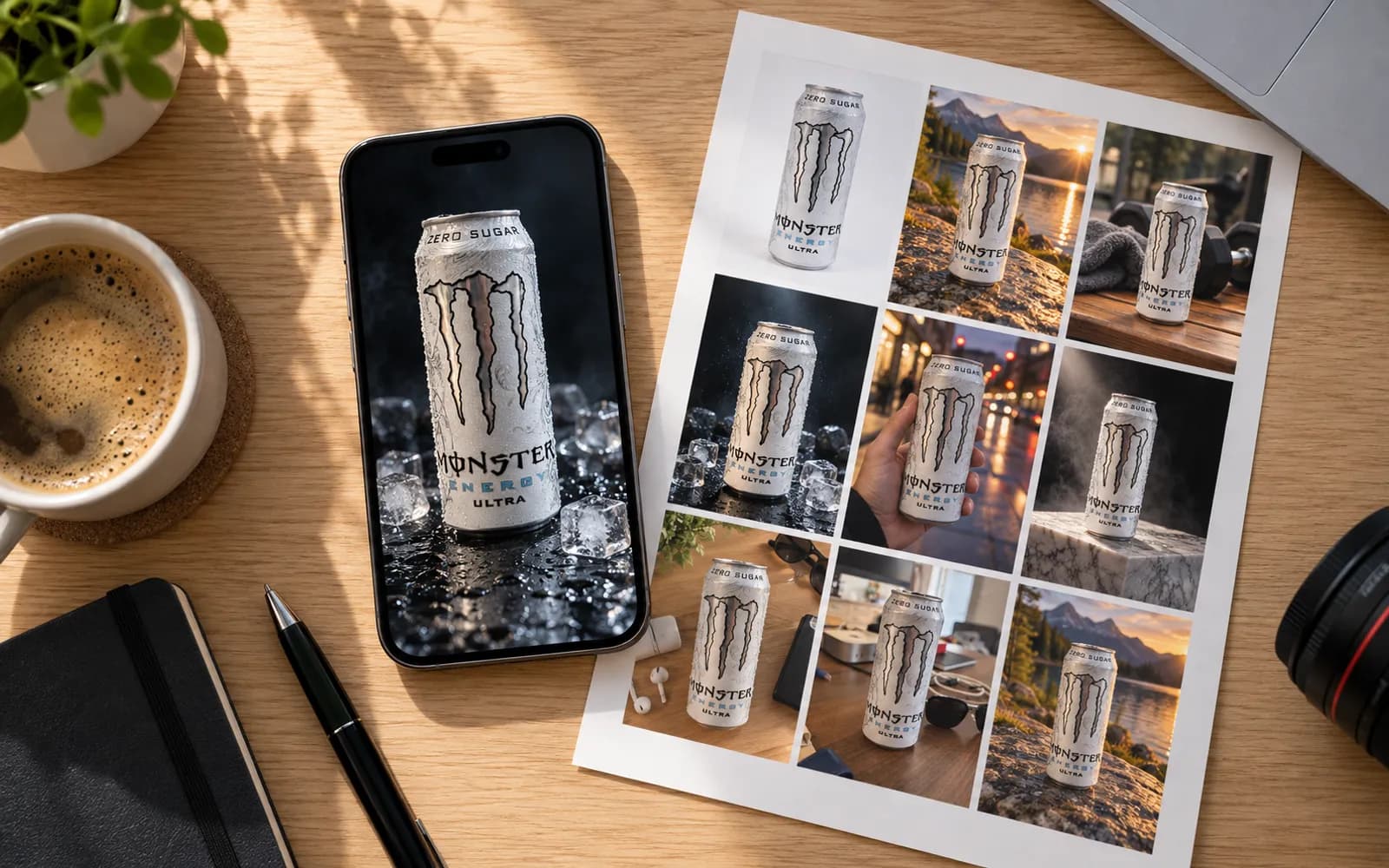
In short
A product photography prompt works when it describes a photograph: the surface, the background, where the light comes from, where the camera stands and what the image is for. Attach a photo of your real product, and end the prompt with one line that keeps the product unchanged. The 13 prompts below follow that formula.
The product shot prompt formula
The formula is a short brief in a fixed order: your product photo, the surface, the background, the light, the camera, a few props, the mood and the use, then one line that keeps the product unchanged. Write it as sentences, not tags. Google's guide to its Gemini image model says it in one line: "Describe the scene, don't just list keywords."
The formula, to fill in:
Use the attached photo of my [product]. Place it on [surface] in front of [background]. [Light: where it comes from, how soft or hard, what colour.] [Camera: the same height and angle as in my photo, and how close.] [Two or three props, if any.] [Mood, in two or three words.] [Use and shape: a square main image, a 4:5 feed post, a 9:16 story.] Change only the setting: the [product] keeps its exact shape, size, colour and label, which reads "[LABEL TEXT]".
The keep line, at the end of every prompt:
Change only the setting: the [product] keeps its exact shape, size, colour and label, which reads "[LABEL TEXT]".
| Slot | Write | Skip |
|---|---|---|
| Surface | A material: pale oak, travertine, linen | "A nice table" |
| Light | Source, side, hardness: "hard, low light from the left" | "Good lighting" |
| Camera | Your photo's height and angle, and how close | Camera brand names |
| Props | Two or three, smaller than the product, unbranded | A crowded table |
| Mood | Two or three words: "calm, early morning" | "8K, ultra realistic, award-winning" |
Two slots decide most of the result. Camera: repeat your photo's angle. The model can only keep what it has seen; ask for a three-quarter view of a product shot head-on and it invents the side. Light: match your photo's light, so the highlights already on the product agree with the scene. Lens words such as "blurred as at f/2.8" describe a look, not physics: OpenAI's guide calls camera settings cues for appearance, not a guarantee.
Why a prompt needs your product photo
Without your photo, the model invents a product that only resembles yours. Type "a black coffee bag with a green logo" into an image generator and you get a black coffee bag, not yours: the logo nearly right, the shape slightly off. Fine for a mood board. On a listing, the parcel will not match the picture.
So attach your photo and ask for an edit. ChatGPT, Gemini and product photo tools all accept one. The model then works from your pixels, and the prompt only describes what changes around them.
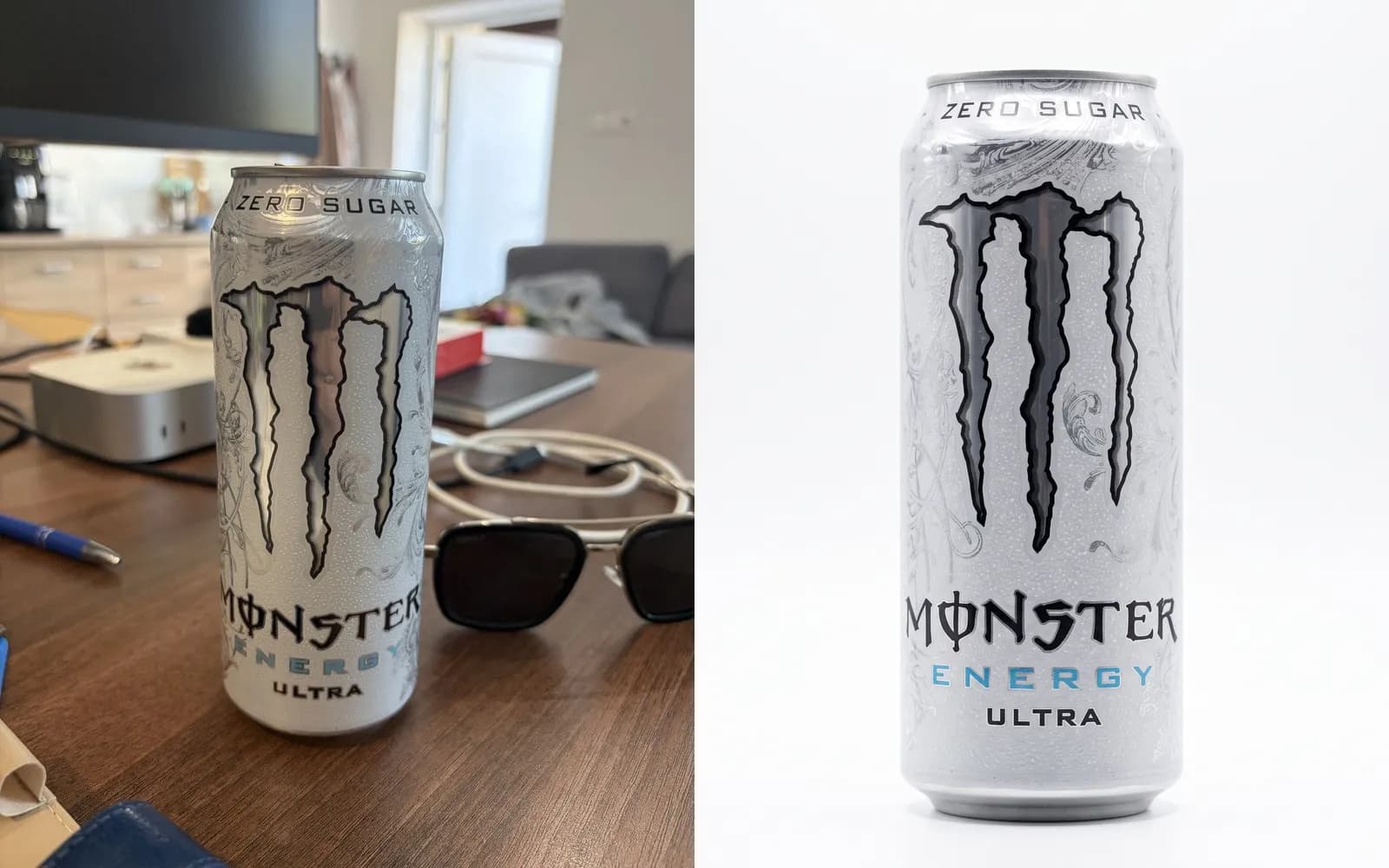
What the photo has to show
- The whole product, sharp, in soft light. Blur, glare and flash carry into every result.
- The side you want to sell. Ask for a side the photo never showed and the model invents it, back label included.
- The state you want to sell. Ask for a closed jar open and the model makes up the inside.
- Nothing touching it. Price tags and fingers can become part of the product.
You do not need a studio for it. A phone held level, a window to one side and a plain sheet of paper behind the product are enough; the setup is in how to photograph a product with your phone.
Why the keep line works
It is the edit pattern OpenAI's guide recommends: say what changes, list what must stay, and repeat the list on every attempt. Quote the label as printed, and spell an invented brand name out one letter at a time. The line lowers the risk without removing it: small print is still where image models slip most, so check every result at full size.
Seven prompts on one phone photo
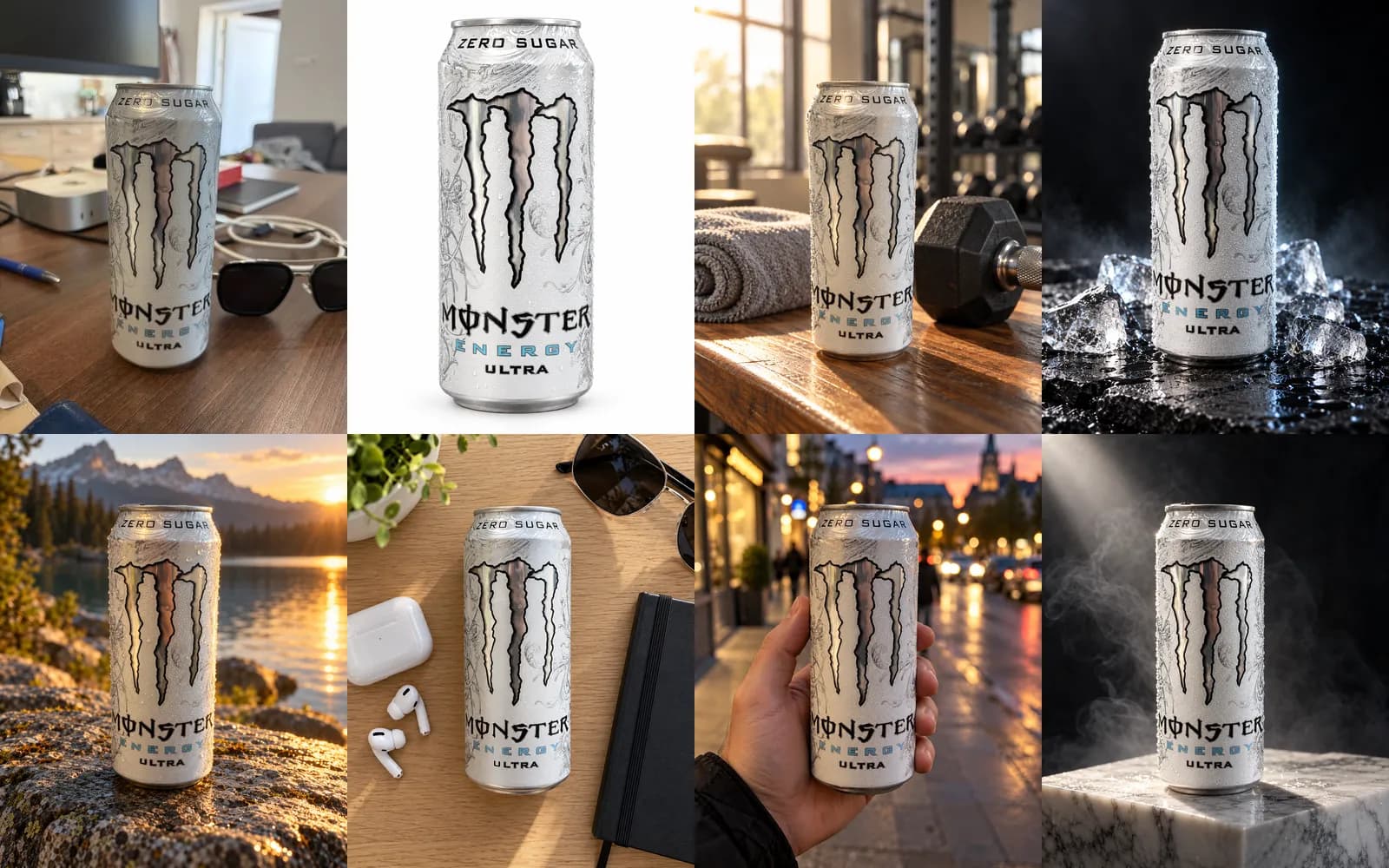
To see what the formula does with an ordinary photo, we took one: a can of Monster Energy Ultra on a desk, shot on a phone, with a monitor, sunglasses, cables and a pen around it. Each prompt below went through ProduktShot's Photo mode with the default model, one run each at 3 credits an image. Nothing was retouched and no run was repeated.
Photo mode adds the keep line by itself, so these prompts end without it. In ChatGPT or Gemini, add the keep line from the formula to each one.
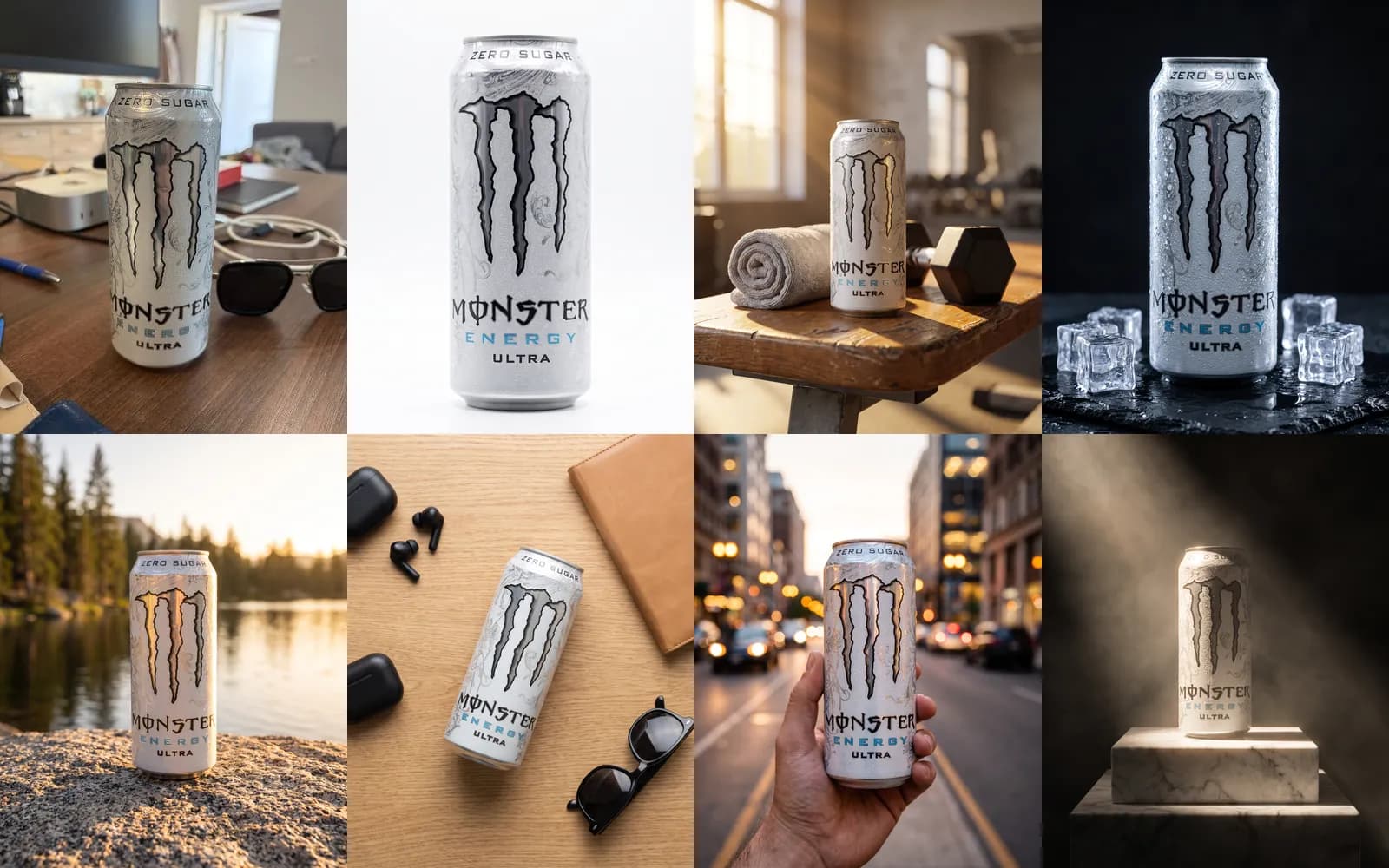
1. White studio
On a pure white background with no visible edges, corners or horizon, soft even studio light from both sides, a faint natural shadow under the can, straight-on front view, the can filling most of the frame.
2. Gym bench
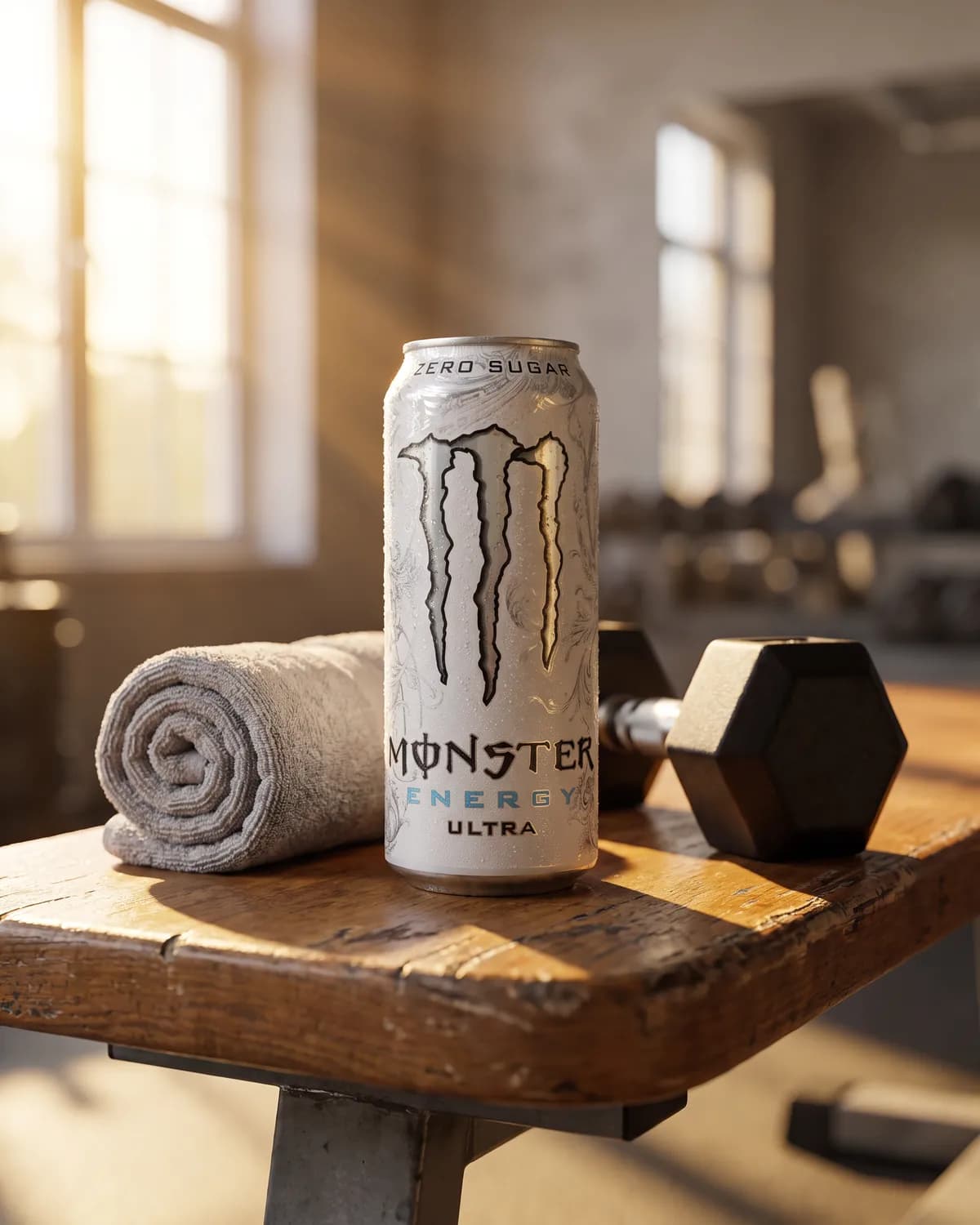
On a wooden gym bench next to a rolled grey towel and a black dumbbell, morning sunlight through a large window from the left, shallow depth of field, eye-level view.
3. Ice on slate
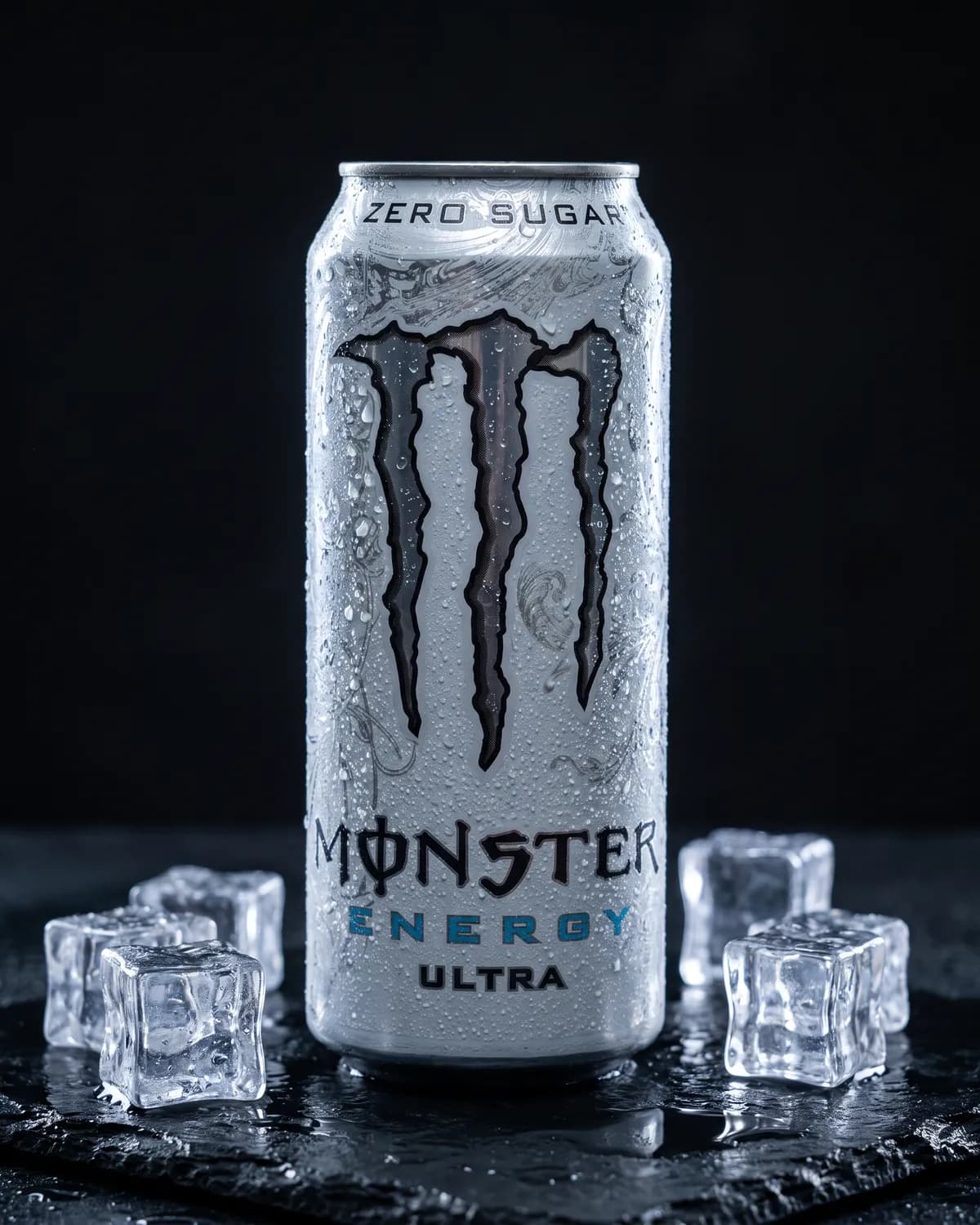
On wet black slate with scattered ice cubes and cold water droplets on the can, dark background, a thin cool rim light from behind and a soft key light from the front left, dramatic contrast.
4. Mountain lake
On a flat granite rock beside a mountain lake at golden hour, warm low sun from the right, pine trees and water softly blurred in the background.
5. Desk flat lay
Flat lay shot from directly above on a light oak desk, the can lying on its side next to wireless earbuds, a closed notebook and a pair of sunglasses, soft diffused daylight, clean and uncluttered.
6. In hand, in the city
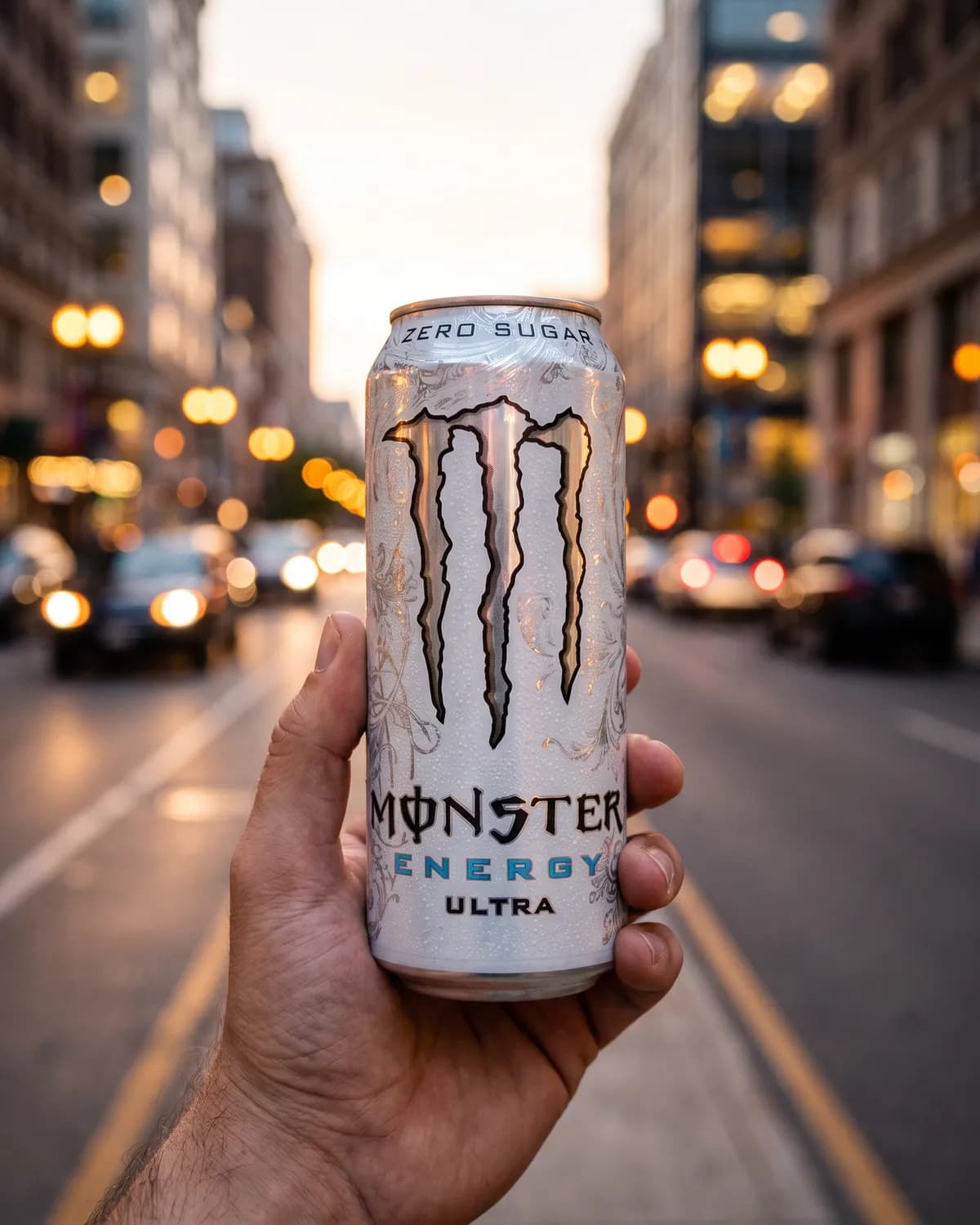
Held in a man's hand at chest height on a city street at dusk, the can sharp and facing the camera, street lights softly blurred behind.
7. No prompt at all: the Marble block scene, picked from the scene library.
What held and what to check
- The label held in all seven, down to the small ZERO SUGAR line on the rim. That is the keep line at work, and it is still the first thing to check at full size.
- The white is not pure white. The studio shot looks white, but its corners measure between 244 and 253, not 255. For Amazon's main image, put a cut-out on white instead, as the next section explains.
- One word can change the scene. Our first white prompt asked for a paper backdrop curving up behind the can, and the model drew exactly that: the curve, its edges and the dark studio around it. Asking for no visible edges, corners or horizon gave the clean version.
- The flat lay came out top-down from a front-on photo. A can is the easy case: lying on its side it shows the same label. A box or a bottle with a back label would need its own photo from above.
- The props came in as asked, and nothing else did: the towel and dumbbell, the earbuds and notebook, and not one extra product.
The same prompts in ChatGPT
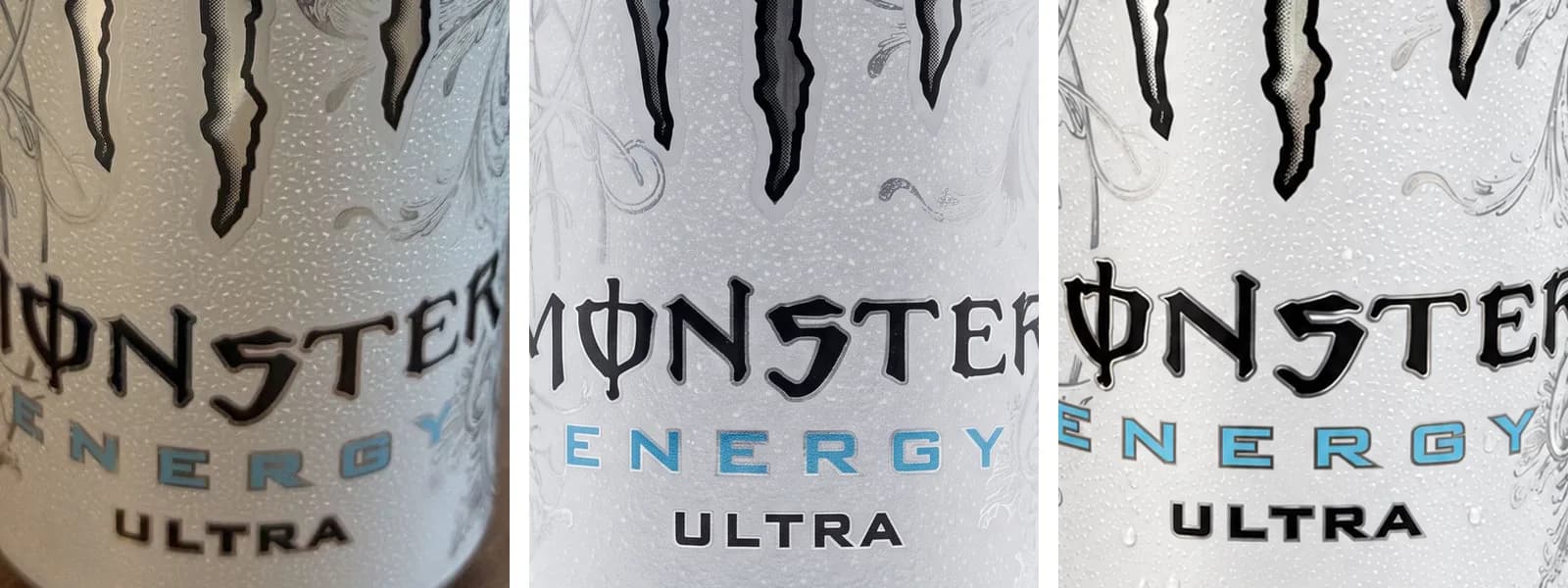
Then we ran the same scene prompts in ChatGPT, with the same phone photo attached and the keep line from the formula at the start of each. ChatGPT has no scene library, so the seventh is the marble block written out as a sentence.
How the two compare
- Both kept every word on the can, ZERO SUGAR on the rim included, and both followed the props and light they were given.
- ChatGPT's white came closer to pure white: its corners measure 254 to 255, against 244 to 253 in our run. Neither is 255 edge to edge, so for Amazon's main image the cut-out advice below still stands.
- Next to the real can, ChatGPT kept the dark outline round the blue ENERGY letters, which our run softened. Small print is where both slip, so compare every result with the product at full size.
- The work around the prompt differs more than the pictures. In ChatGPT each scene is its own message: you paste the keep line into every prompt and download each picture.
White background prompts for marketplace listings
Amazon's main image rules are exact: pure white (RGB 255, 255, 255), the product filling at least 85 percent of the image, one unit, no props that are not included, no added text or logos, and no shadow running to the edge. Amazon also says a synthetic image that shows the product realistically, like a good product photo, does not count as an added graphic.
1. Marketplace main image on white
Use it for: Amazon's first image, or any main image that must be plain white.
Use the attached photo of my [product]. Show one [product] alone on pure white, RGB 255, 255, 255, with no props, text or border. Camera at my photo's height and angle. The product fills almost the whole square frame, with a narrow, even margin. Soft, even light and only a faint shadow under the base. Change only the setting: the [product] keeps its exact shape, size, colour and label, which reads "[LABEL TEXT]".
Change: the margin, if the product comes back small.
Better still, skip the prompt here. A generated background can look white and measure slightly grey, and a soft shadow can creep to the edge. A cut-out placed on white is exact every time: the AI white background generator does that at each marketplace's size and fill. Either way, test the file in the free Amazon image checker.
2. Soft-shadow packshot for your own shop
Use it for: your own shop's product pages, where white is a style, not a rule.
Use the attached photo of my [product]. Stand it on light grey paper curving up behind it, with no line where floor meets wall. A large soft light high on the left, a white card filling the right, and a thin, dark contact shadow under the base. Camera at my photo's height and angle. Square. Change only the setting: the [product] keeps its exact shape, size, colour and label, which reads "[LABEL TEXT]".
Change: the paper colour. One pale brand tint for every product makes a catalogue look like one shoot.
Lifestyle product photography prompts
A lifestyle image answers the buyer's next questions: where does this live, and how big is it? Keep the room believable and every prop smaller than the product.
3. Kitchen counter, morning light
Use it for: food, drink and kitchenware, as a second or third listing image.
Use the attached photo of my [coffee bag]. Stand it on a pale oak kitchen counter by a window, morning sun coming in low from the left. Behind it, out of focus, a white kettle and a plain mug. Camera at my photo's height and angle, background blurred as at f/2.8. Calm, early morning, 4:5 portrait. Change only the setting: the [coffee bag] keeps its exact shape, size, colour and label, which reads "[LABEL TEXT]".
Change: the time of day. Warm evening lamp light suits a gift listing.
4. Bathroom shelf
Use it for: skincare, haircare and anything that lives by a sink.
Use the attached photo of my [serum bottle]. Stand it on a white marble bathroom shelf beside a rolled linen towel and a small plant. Soft daylight from a frosted window on the left, a faint reflection in the stone, a dark line where the base meets the shelf. Camera at my photo's height and angle. Change only the setting: the [serum bottle] keeps its exact shape, size, colour and label, which reads "[LABEL TEXT]".
Change: the stone. Travertine feels warmer; black slate feels more expensive.
5. Outdoors, at the real size
Use it for: outdoor gear, drink bottles and garden products.
Use the attached photo of my [steel water bottle]. Stand it on a flat granite rock beside a mountain path, late-afternoon sun behind it on the left drawing a bright edge along the bottle, the hills behind soft and hazy. The bottle is 25 cm tall and appears at that size. Camera at my photo's angle. Change only the setting: the [steel water bottle] keeps its exact shape, size, colour and label, which reads "[LABEL TEXT]".
Change: anything but the size sentence. A wrong size is the mistake a buyer finds only when the parcel arrives.
Flat lay prompts
A flat lay is shot from directly above, so your source photo has to be too: a bottle shot from the front cannot become a top-down view without the model inventing its top. Lay the product down and photograph it from above first.
6. Flat lay with props
Use it for: stationery, accessories and cosmetics sets, on Instagram and Pinterest.
Use the attached top-down photo of my [notebook]. Lay it on a warm grey linen cloth, seen from directly above, with a brass pen, folded glasses and a cup of black coffee around it, a few running out of frame. Soft daylight, small crisp shadows, top third empty for text. 4:5 portrait. Change only the setting: the [notebook] keeps its exact shape, size, colour and label, which reads "[LABEL TEXT]".
Change: the props. Choose objects your buyer already owns, three at most.
7. Ingredient flat lay
Use it for: food, supplements and natural cosmetics.
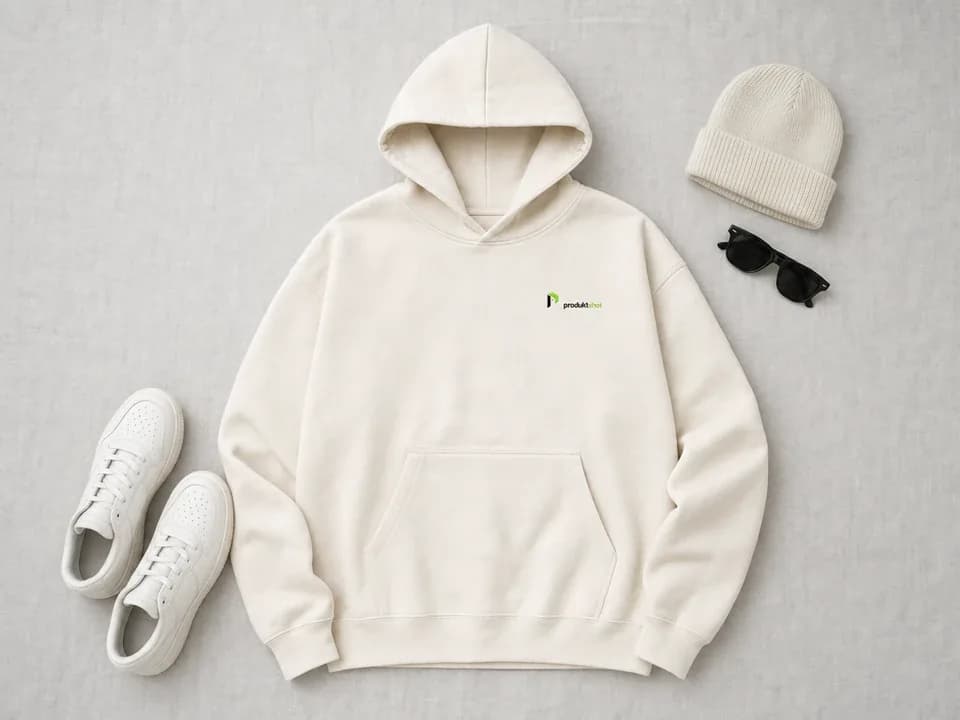
Use the attached top-down photo of my [granola pack]. Lay it on pale stone, viewed straight down, with small piles of rolled oats, almonds and dried cranberries around it and a wooden scoop in the oats. Soft, even daylight. Only ingredients that are in the product. Change only the setting: the [granola pack] keeps its exact shape, size, colour and label, which reads "[LABEL TEXT]".
Change: the ingredients, but only to ones on your label. Fruit the product does not contain is a claim you cannot back.
Luxury, moody and seasonal prompts
Premium and seasonal looks come from light and surface more than from props: one narrow light on dark stone reads as expensive, weather at a window reads as a season.
8. Dark stone
Use it for: perfume, watches, jewellery and premium drinks.
Use the attached photo of my [perfume bottle]. Set it on polished black marble with fine white veins, against a deep charcoal background. A narrow strip light on the right draws one clean highlight down the glass; a dim light behind outlines its shoulders. A soft reflection in the stone. Camera at my photo's height and angle. Change only the setting: the [perfume bottle] keeps its exact shape, size, colour and label, which reads "[LABEL TEXT]".
Change: the reflections. Glass and polished metal mirror the room, so ask for black panels on both sides and the edges stay crisp.
9. Seasonal version
Use it for: a holiday campaign without a new shoot.
Use the attached photo of my [candle]. Put it on a wooden windowsill in winter, snow on the glass, a sprig of pine and two unlit tea lights beside it. Warm lamp light from the left, cool daylight from the window behind. The candle stays unlit, as in my photo. Change only the setting: the [candle] keeps its exact shape, size, colour and label, which reads "[LABEL TEXT]".
Change: one thing per run. Swap winter for spring, keep the rest, and the seasonal set still looks like one brand.
Prompts with hands and people
A hand shows size better than a ruler. Two Amazon rules first: the main image may not show a person, except for adult clothing, and an image with a photorealistic, entirely AI-generated person needs the keyword contains-synthetic-performer in its IPTC metadata before upload.
10. Hands only
Use it for: small products where size is the question: cosmetics, jewellery, snacks, phone accessories.
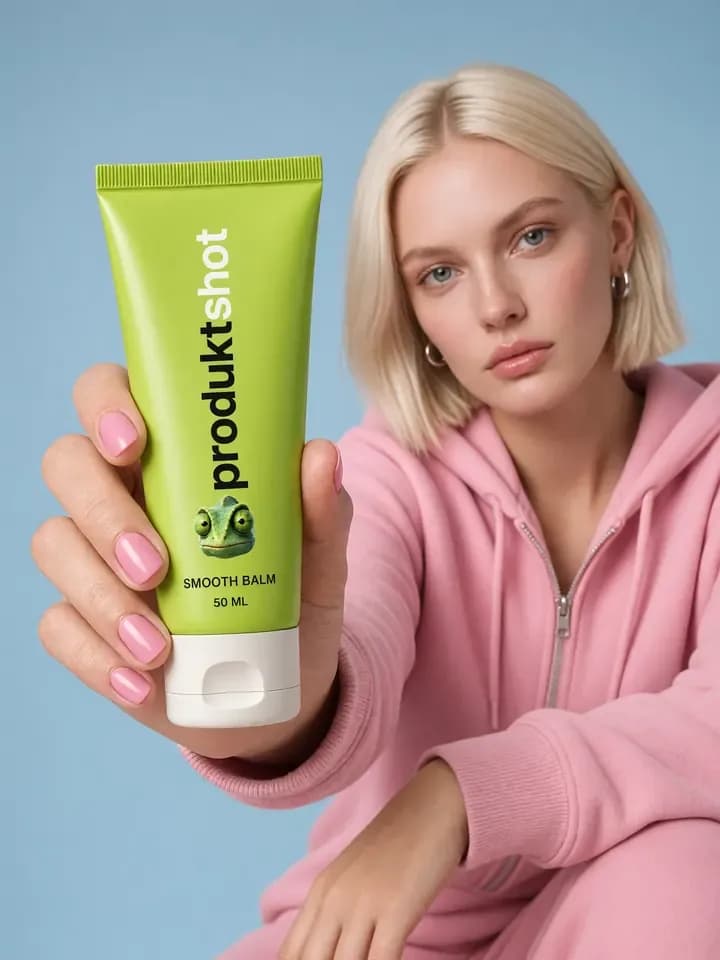
Use the attached photo of my [lip balm]. A woman's hand holds it against a plain beige wall, her fingers along the edges of the tube, clear of the label. Short, unpolished nails, natural skin, soft daylight from the left. Only the hand and wrist in frame. The tube is 7 cm long, shorter than her index finger. Change only the setting: the [lip balm] keeps its exact shape, size, colour and label, which reads "[LABEL TEXT]".
Change: the hand, to match your buyer. Then count the fingers.
11. In use, with a person
Use it for: bags, sports gear and accessories, in ads and later listing images.
Use the attached photo of my [running backpack]. A man in his thirties wears it on an early-morning city run, seen from behind, the logo on the back panel facing the camera and sharp. The street is softly blurred, low sun from the right. Candid, like a friend's phone photo. Change only the setting: the [running backpack] keeps its exact shape, size, colour and label, which reads "[LABEL TEXT]".
Change: the viewpoint, to wherever your logo faces. Otherwise the model draws a side it never saw.
Product ad prompts with a headline
Image models now render text, but a few words in clear space are still the safe case. Quote the exact words, say where they go and in what style, and say that nothing else is written. OpenAI's guide adds one step: check the spelling in the result.
12. Square social ad with a headline
Use it for: a feed ad. Keep ad copy off listing images: Amazon allows no promotions or claims in any product image.
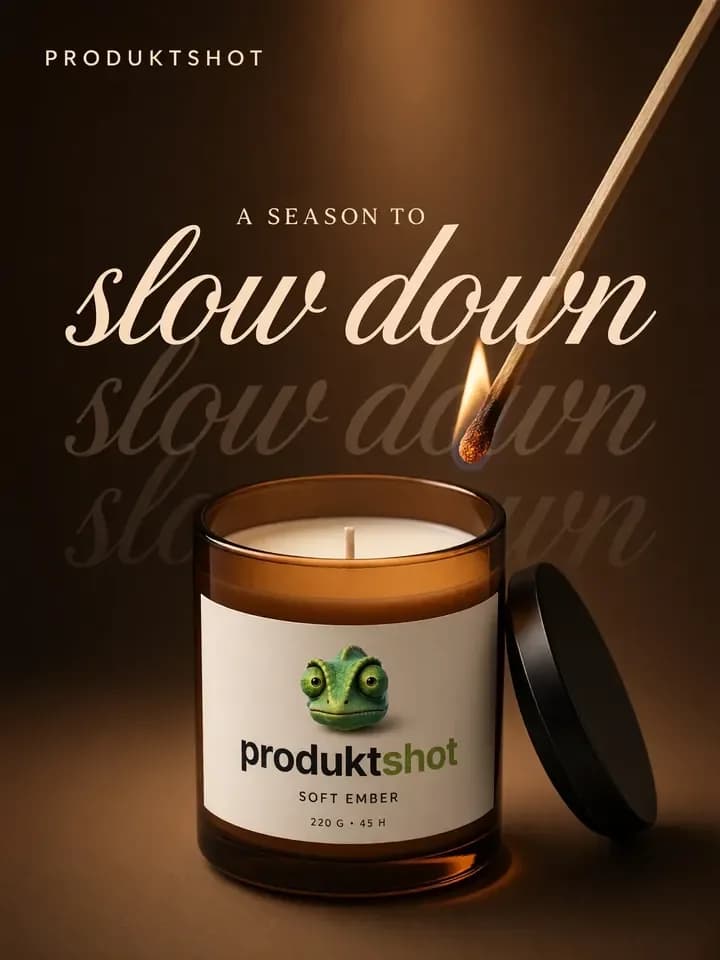
Use the attached photo of my [coffee bag]. A square ad: the bag on the right third of a flat, warm orange background, a hard shadow falling left. In the empty upper left, the headline "SLOW MORNINGS START HERE" in heavy black sans-serif capitals on three lines. No other words except the bag's own label. Change only the setting: the [coffee bag] keeps its exact shape, size, colour and label, which reads "[LABEL TEXT]".
Change: the headline, kept short. A few large words are the easy case; a long line of small text is where letters go wrong. Or ask for the empty space and add the words in a design tool.
Product video prompts
Start from a finished still, such as the kitchen shot from prompt 3, and describe only what moves. Runway's camera guide says a named move such as "slow dolly push-in" works better than a mood word like "cinematic", and that one move per clip is the reliable fallback.
13. Slow push-in
Use it for: a product page video, a 9:16 story or the first seconds of an ad.
Start on the attached image, exactly as framed. Over five seconds, the camera moves straight forward at the same height until the [coffee bag] fills the frame. The [coffee bag], the counter and the mug hold their places; only the sunlight on the wall slowly brightens. A single take.
Change: the move: pull back, pan or a partial orbit, but no full 360-degree spin unless you have photos of every side. A negative prompt field takes a list (warped label, extra text), not sentences with "no", as Google's video guide advises.
How to make ChatGPT or Gemini write your prompts
You do not need a prompt generator. A chat assistant that can see photos fills the formula for you and copies your label text, which saves typos in the keep line. Attach your product photo and paste this:
I sell this [product] to [who buys it]. First, copy every word printed on it, line by line, exactly as it appears; mark any word you cannot read with [?]. Then write three prompts for an image model that will edit this photo: a white-background main image, a lifestyle scene and a hands-only shot showing its size. Each prompt: one paragraph under 90 words naming the surface, background, light direction, camera height and angle (as in my photo) and shape, ending with: Change only the setting: the product keeps its exact shape, size, colour and label, which reads "[the words you copied]". Add nothing that is not on the product.
Check the copied words against the real pack first, because vision models misread small print too. Then run the prompts in the same chat with the photo attached, or in your image tool.
Why product prompts fail, and the fix
Seven failures cover most bad results. Each row names what you see, why the model did it and what to change in the prompt or the photo.
| What you see | Why | Fix |
|---|---|---|
| A product that is almost yours | Text alone describes a category | Attach your photo; end with the keep line |
| A misspelled label | Small print is the hardest part for image models | Quote the label, keep it large, generate at a bigger size |
| An invented side or back | The prompt asked for an angle the photo lacks | Keep your photo's angle, or shoot that side |
| The wrong size | Nothing in the scene shows scale | State the real height; add an object of known size |
| A floating product | Nothing ties it to the surface | Ask for a dark line under the base |
| The product appears twice | A plural or a crowded scene | Write "one [product]"; cut the props |
| A plastic, over-smooth look | Tag stacks such as "ultra realistic, 8K" | Name the material and the light; write "photorealistic" once |
Before anything goes live, zoom in on every word, find the contact shadow and put the result next to your photo. The full routine is in eight AI product photo mistakes.
How ProduktShot handles the prompt
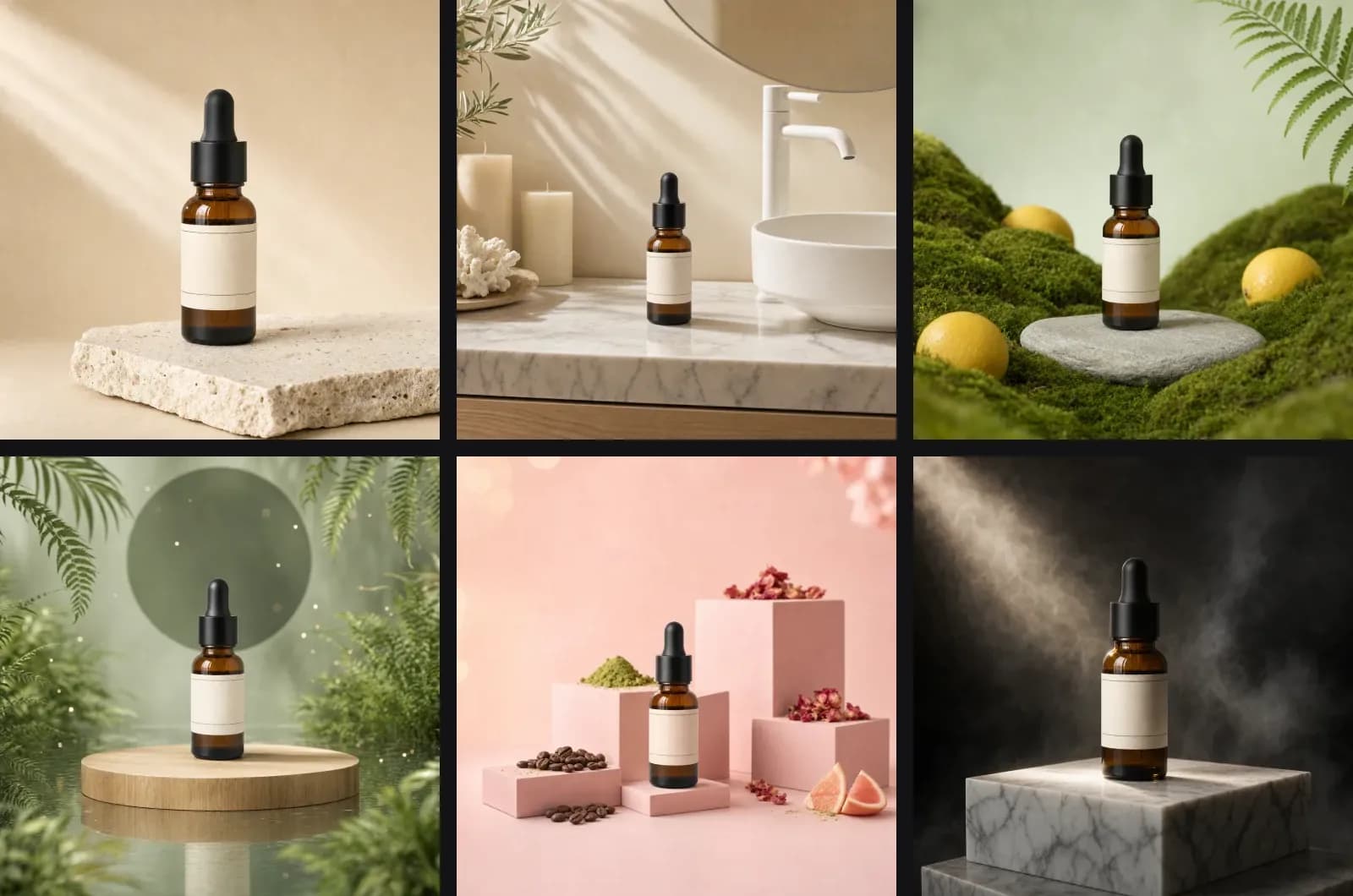
ProduktShot's Photo mode runs this method with most of the typing done. A product can hold more than one photo, the hero and other angles, and every Photo prompt carries them. You pick scenes from a library of 103 scenes, filtered by mood and light, and get one image per scene; the prompt field adds a detail or describes your own set.
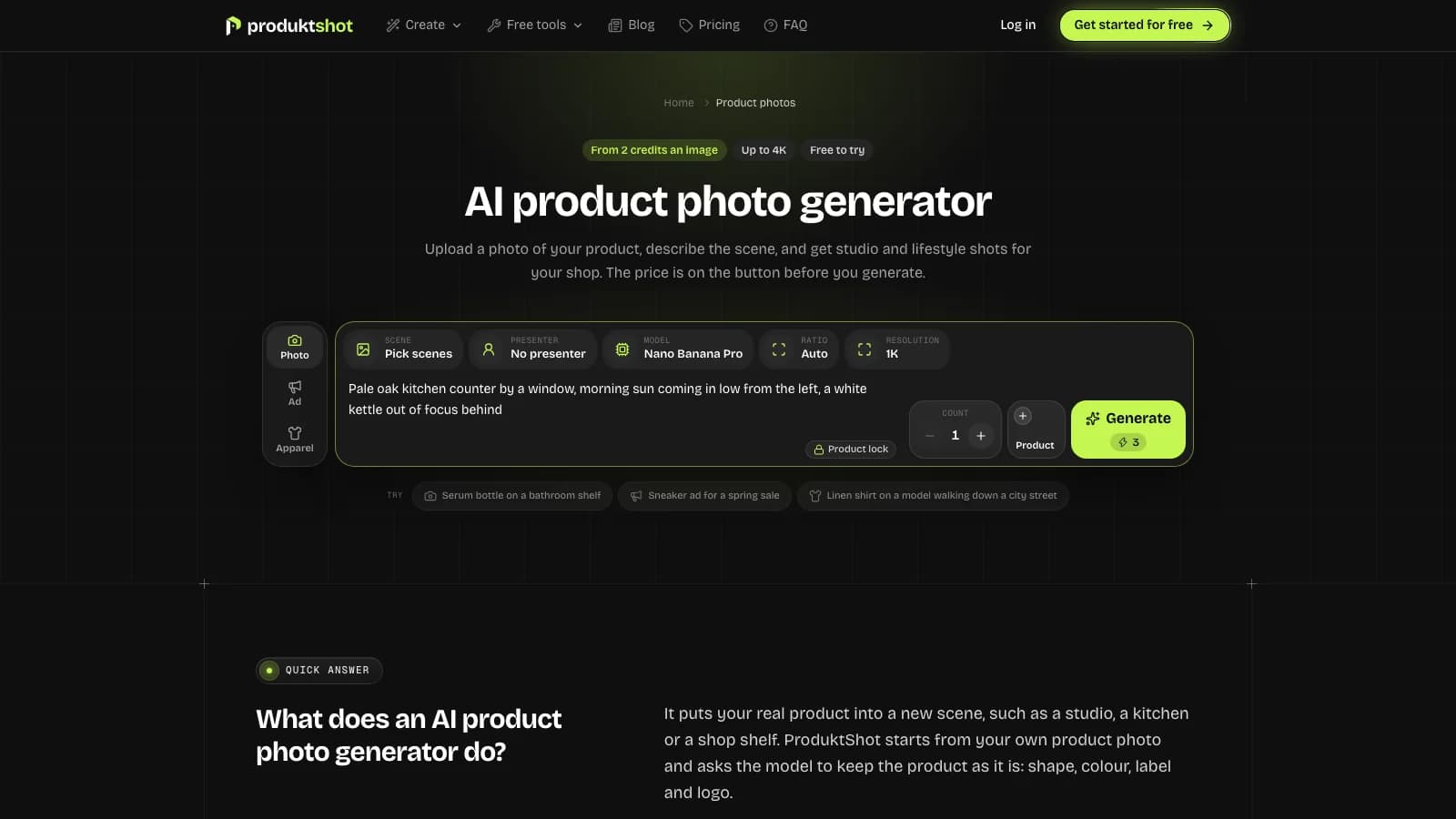
The keep line is built in. Every prompt Photo mode sends asks the model to keep the product's shape, colour, material, label and logo, and the composer shows this as Product lock. Where ChatGPT takes one scene per message, Photo mode makes one image per picked scene in a single click, at the ratio and size you choose, and keeps every result in your library. It lowers the risk rather than removing it, so open each result and press Compare.
You choose the model (Nano Banana Pro, Nano Banana 2, GPT Image 2.5, Seedream 5 Pro and ProduktShot Lite), the ratio (1:1, 4:5, 3:4, 2:3, 9:16 and 16:9), the size (1K, 2K and 4K) and up to 4 images of one scene per click. An image costs from 2 credits, and the Generate button shows the price before you press it.
Ad posters start from 122 templates and write the headline and offer line for you; read every word before you publish. The presenters you can add are synthetic people, so the Amazon tag applies to those images. You start with 7 credits free, and pictures made before your first payment carry a watermark.
Try it on your own product
Sign up and get 7 free credits, no card needed. The price of every job is on its button.
Questions
One that describes a photograph: the surface, the background, where the light comes from, the camera height and angle, the mood and the use, ending with a line that keeps the product unchanged. Attach a photo of the real product instead of describing it in words.
Yes, if you upload your product photo and ask for an edit instead of a new picture. Quote the exact label text in the prompt and compare the result with your photo, because small print is where changes hide.
Start from your own photo, keep that photo's camera angle, type the label text in quotes and say that only the setting changes. Keep the label large in the frame and check each result at full size. For close-ups of small print, a real photo is still the safer choice.
Yes, if they show the product realistically: Amazon does not count a synthetic image as an added graphic when it looks like a good product photo. The main image still needs pure white, at least 85 percent fill and no props, and an image with a photorealistic AI-generated person needs the contains-synthetic-performer tag.
A chat assistant that can see images does the job: attach your photo and paste the request from this article that asks for three prompts in the formula's slots. ProduktShot takes the other route: you pick from 103 ready-made scenes instead of writing a prompt.
Start from a finished product photo as the first frame and describe only the motion: one named camera move, what else moves and how long it lasts. Keep the product still, and skip full spins unless you have photos of every side.
Mostly, describe what you want instead. Google's guide for its image model suggests "an empty, deserted street" rather than "no cars". Keep one or two hard exclusions, such as no extra text, where they matter.
About this article
ProduktShot Team
The people who build ProduktShot
We build ProduktShot, an AI product photo studio for online shops, and we write about what we learn doing it: what makes a product photo look real, what marketplaces ask for, and where AI images still go wrong. We run the tools we write about on our own demo products every week.
Facts checked 30 September 2026 against the sources listed under the post.
How we writeSources
The facts on this page were checked on 30 September 2026 on the pages below.
- sellercentral.amazon.com/help/hub/reference/external/G1881
- sellercentral.amazon.com/help/hub/reference/external/GKPLUEFR7TJ9EDAN
- sellercentral.amazon.com/help/hub/reference/external/GB6V3RU3M5XG24GC
- sellercentral.amazon.com/help/hub/reference/external/GBESJNTVU5XPKVVU
- developers.googleblog.com/how-to-prompt-gemini-2-5-flash-image-generation-for-the-best-results/
- support.google.com/gemini/answer/14286560
- developers.openai.com/cookbook/examples/multimodal/image-gen-models-prompting-guide
- developers.openai.com/api/docs/guides/image-prompting
- runway.com/resources/ai-camera-prompts
- docs.cloud.google.com/gemini-enterprise-agent-platform/models/video/video-gen-prompt-guide